Energy Ring
-
4.4
- Kostenlos Preis
- Personalisierung Kategorie
- IJP Entwickler
-
NameEnergy Ring
-
PreisKostenlos
-
KategoriePersonalisierung
-
Version2.2
-
Bewertung4.4
-
EntwicklerIJP
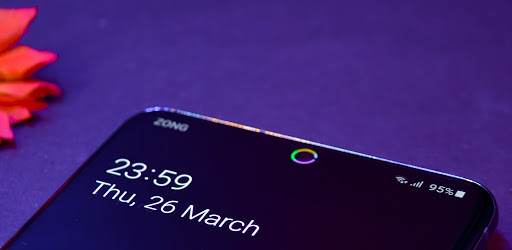
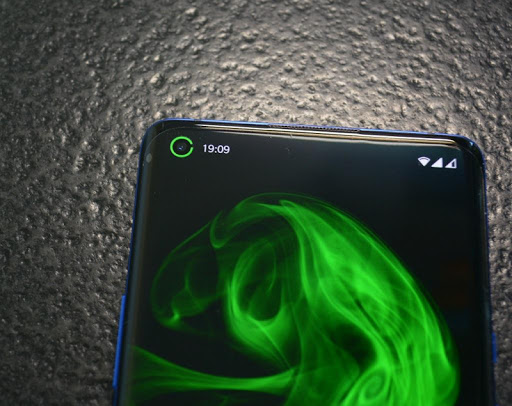
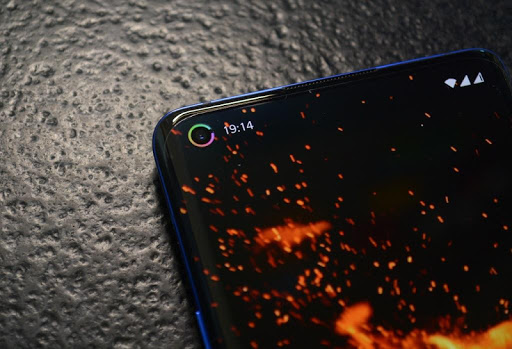
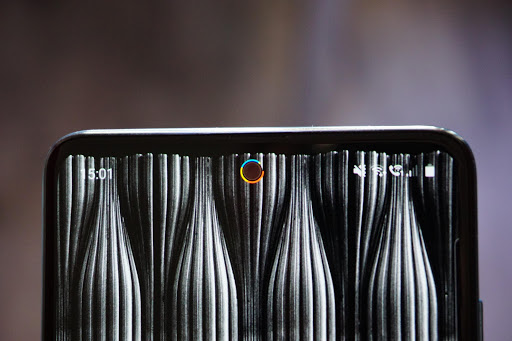
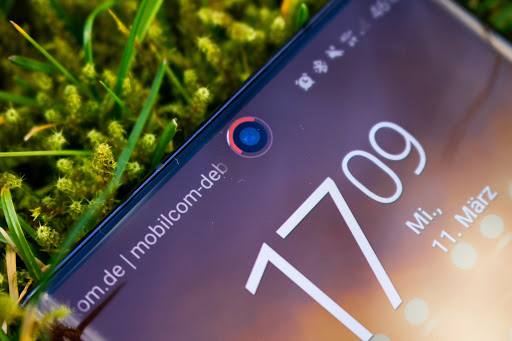
This is the original battery indicator around punch hole cameras, Energy Ring.
With the latest update, Energy Ring can glow up when any App/System accesses camera / microphone / GPS, this is courtesy of Access Dots App integration.
Energy Ring + Access Dots = Access Rings!
Supported Devices:
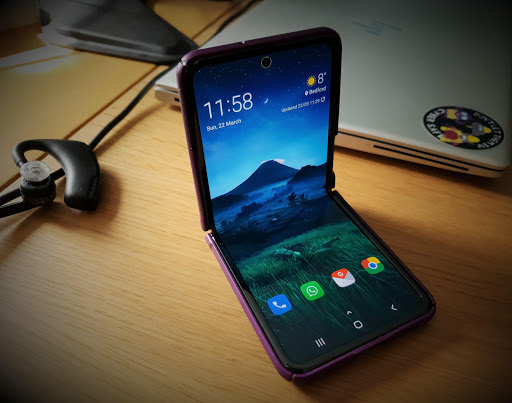
- Galaxy Z Fold 2/3, Z Flip (3), S10, S20, S20 FE, S21, S22, Note 10, Note 20 series, Z Flip (5G), A60/51/71, m40, m31s
- Pixel 4a (5G), 5 (a), 6 (pro)
- OnePlus 8 Pro, 8T, Nord (2) (CE)
- Motorola Edge (+), One Action, Vision, G(8) Power only, G40 Fusion, 5G (UW) Ace
- Huawei Honor 20, View 20, Nova 4, 5T, P40 Lite, P40 Pro
- Realme 6 (pro), X7 Max, 7 pro, x50 Pro Play
- Mi 10 (pro), 11
- Redmi Note 9(s/pro/pro max), Note 10 pro (max), K30(i)(5g)
- Vivo iQOO3, Z1 Pro
- Oppo (Find) X2 (Neo) (Reno3) (Pro)
- Poco M2 Pro
- Oukitel C17 Pro
If you have a device with punch hole camera, reach out via email to get support added!
Similar Apps for other Devices:
Energy Bar Curved Edition for S8/S9/S10/+ - http://bit.ly/ebc_xda
Energy Bar Curved Edition for Note 8/9 - http://bit.ly/ebc8_xda
Energy Bar - http://bit.ly/eb_xda
Adds a configurable Energy Ring around the camera lens indicating current Battery level. Dive into the various configuration options, not only you can quickly glance and get the battery info but, Energy Ring adds an accent to your phone's camera lens.
Got a full charge? The Ring will be a 360 degree wrap around the front camera lens.
Battery depleting? So will the arc of Energy Ring.
Out of the box features:-
- Energy Ring can be configured from a width of 1 pixel to a donut thick ring
- Energy Ring puts almost 0% load on CPU, as it wakes up only to reflect any change in battery level
- Energy Ring's direction can be configured as clockwise/bidirectional/anti-clockwise
- Energy Ring can hide on fullscreen content (apps, videos, images, games etc)
- Energy Ring can be configured to change colors automatically depending on the live battery level
- Energy Ring could have a mono color/multiple color segments/gradient (pro)
- You can literally assign any color in the world for your favorite configuration
- Energy Ring has a number of cool animations whenever a power source is plugged into your device
All that is cool! But what about Energy Ring consuming Battery?!
This is one of the most exciting question for me to answer. Energy Ring more than anything understands that you need to utilize your battery efficiently (after all, that's why you installed the App, right? ;) .) Energy Ring sits on the screen silently putting almost 0% load on CPU, if battery level changes, Android wakes up Energy Ring. Once awake, Energy Ring quickly updates itself and goes back to sleep. And to be that extra efficient, the Ring goes on deep sleep when you turn off the screen, meaning it doesn't even read changes in battery level when the screen is off.
Accessibility Service Requirement:
Android requires Energy Ring to run as an Accessibility Service, to be able to display on Lock Screen. It does not read/monitor any data, whatsoever. This is especially useful for people who have disability to read numbers and work better with visual data.
No charging animation?
Settings > Accessibility > Visibility enhancements > Remove Animations > uncheck if it's checked.
Energy Ring disappearing on Xiaomi devices?
Setting>Apps>Manage apps>Energy Ring> *Turn on Autostart*
Screen burn-in:
The original variant of the App, Energy Bar has been used over several years by users on their AMOLED devices, there has been no complains. But there is no claim that it may not happen.
Re-enable after exiting power saving mode:
If you enter into power saving mode, Energy Ring will be disabled by the System, to re-activate you must restart your device.